
I installed Ludo Paisa on my own phone to see how the login really works. The app is made by Tellosoft, a Karachi studio, and it is even on the Play Store with lakhs of downloads. The interesting part: your login is tied to your Easypaisa account. That link is what turns your Ludo wins into real cash.
Here is everything I learned — the sign-up steps, how the Easypaisa link works, and the fixes for the login problems players keep asking about.
What “Login” Means in Ludo Paisa
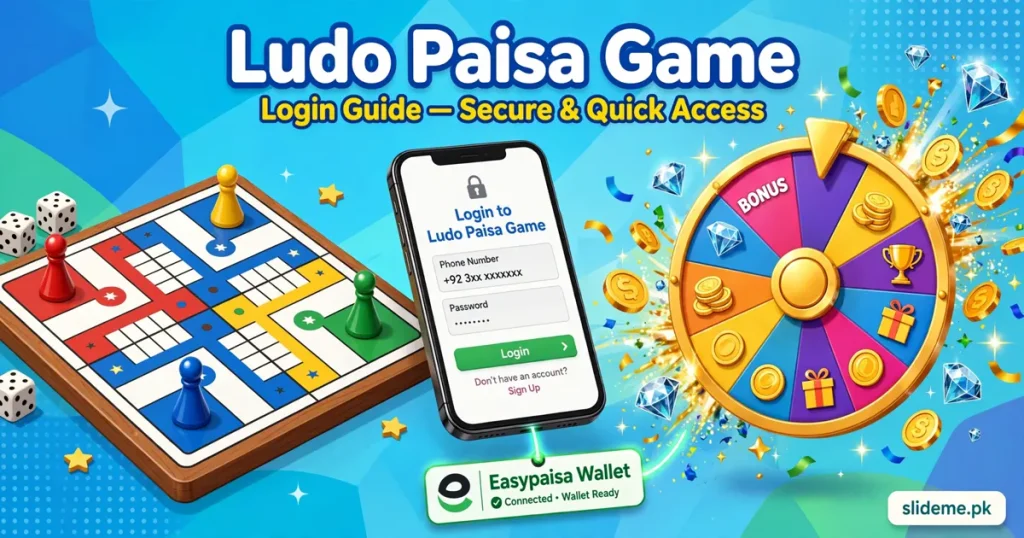
Ludo Paisa is not just a username-and-password app. Your account connects to your Easypaisa mobile account and, if you want, your Facebook. The Easypaisa link handles your real money — deposits and withdrawals flow through it. The Facebook link makes private rooms easy, so you can play with friends and family in seconds.
Your virtual coins and diamonds live on this account too. That matters more than most players realize. Lose the login, and you lose the balance. Keep the login, and everything follows you. The full game details are on the Ludo Paisa page if you want the complete breakdown first.
My Step-by-Step Sign-Up
- I installed the app (version 10.4.196) and opened it. The home screen offered a clear register option.
- I entered my active mobile number — the same one as my Easypaisa account. This saves trouble later.
- I verified the number with the code the app sent. It arrived within a minute.
- The app asked to link my Easypaisa mobile. I tapped yes and confirmed. This is the step that enables real cash withdrawals.
- I linked Facebook too, purely for private rooms with friends. This step is optional.
- My account was ready. I spun the new prize spinner and collected free diamonds to start playing.
Total time: under five minutes. My advice — use your Easypaisa number from the start. Changing it later means extra verification.
Linking Your Easypaisa Account: The Important Part
This is the heart of Ludo Paisa login. You can start playing matches with just 1 rupee, but withdrawals go straight to your linked Easypaisa mobile account. The minimum withdrawal is Rs. 200. Before your first withdrawal, the app asks for CNIC and payment verification — a one-time step. After that, cashouts process in about 24 hours. Keep the Easypaisa number active and in your own name, and the money side stays smooth.
Login Problems Players Report, and My Fixes
Verification code delayed. This is the most common complaint. Wait a couple of minutes, check your signal, and resend once. The code almost always arrives — impatience is the real enemy here.
Diamonds gone after reinstall. I see this one a lot. Reinstalling wipes local data, including guest progress. The fix is simple: log back in with the SAME Easypaisa and Facebook links you used before. Your coins and diamonds are tied to the account, not the phone.
Easypaisa link fails. The number must be an active Easypaisa account. Double-check the digits and make sure the wallet is registered. If it still fails, try again on mobile data instead of Wi-Fi.
App asks me to log in again after an update. Normal. Version 10.4.196 brought a new game UI, and updates sometimes clear the session. Log back in with your original details — nothing is lost.
Payment stuck after login. First, confirm your CNIC verification is complete. Then check that the withdrawal amount is above Rs. 200. If it still sits pending, email [email protected] — that is the developer’s real support address from the Play Store listing.
My Tips for a Safe Ludo Paisa Account
Never share your OTP or verification codes with anyone. Play on one phone — account hopping looks suspicious to every gaming app. Keep the app updated, because each update fixes login bugs from the last one. And grab the app from the Play Store (com.tellosoft.ludo) rather than random mirrors; the official build is the clean one.
Ludo Paisa Login FAQs
Is Ludo Paisa on the Play Store? Yes. Search com.tellosoft.ludo — it has lakhs of downloads and a Teen rating.
Do I need Easypaisa to play? You can play matches without it. You need the Easypaisa link to withdraw real cash.
Can I play with friends? Yes. Link Facebook or Easypaisa, create a private room, and invite your friends and family.
What is the minimum withdrawal? Rs. 200, straight to your linked Easypaisa account.
I forgot which number I registered with. What now? Check the Easypaisa account that received your last withdrawal — that is almost always your login number. Then contact Tellosoft support with your details.
Final Words
Ludo Paisa login took me five minutes, and the Easypaisa link is the whole game — it connects your wins to your wallet. Link the right number on day one, keep one device, and you will never fight the login screen. If you love Ludo with real stakes, Ludo Bonus and Ludo Vegas are worth a look — and our Ludo Vegas login guide covers a very similar sign-up flow.