
BN55 game login takes less than a minute once you know where everything sits. You open the app, enter your registered mobile number and password, and you land straight in the arcade lobby with Sky Aviator, Hidden Mines, and Plinko Drop waiting. This guide shows the sign-in from the top, covers the quick registration recap for new players, and then sorts every common login snag in the order you should try the fixes.
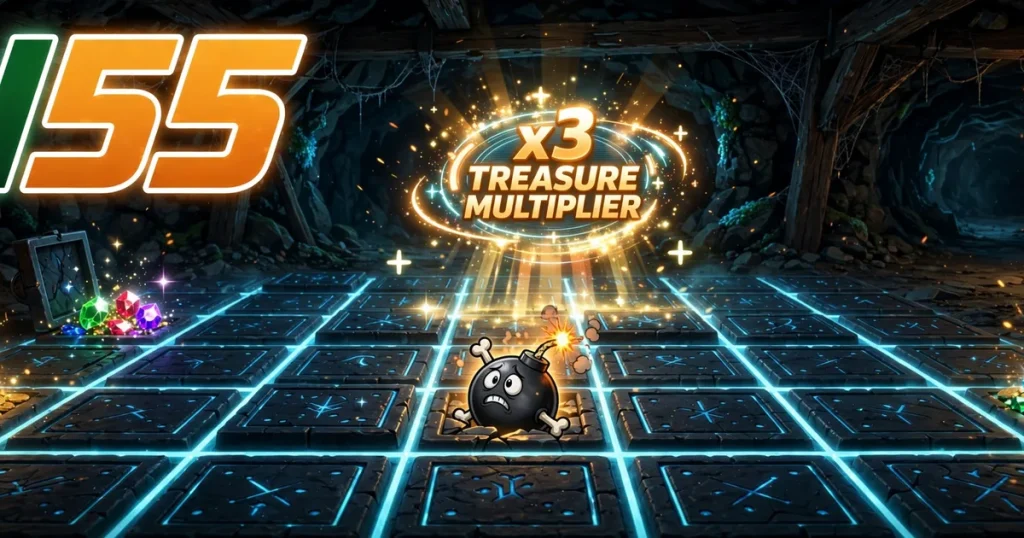
BN55 Game is a light 9 MB arcade app built for Pakistani players. Its brand mark is bold and easy to spot: green BN letters with orange 55 digits on a dark background. Everything inside runs in PKR, with JazzCash and Easypaisa handling most payments.
Before You Tap Login: What You Need in Hand
You need three things, and checking them first saves most failed attempts. First, the mobile number you registered with, kept active, because the account lives on that number. Second, the password you created during sign-up. Third, a stable connection, because every round and every wallet check needs the internet. If any of the three is missing, fix that first instead of tapping login again and again.
BN55 Game Login: The Steps
Open the BN55 app on your Android phone. iPhone players open the official platform in Safari and use the web version, which signs into the same account. Tap Login on the home screen. Enter your registered mobile number, then your password, taking care with capital letters. Tap the login button, and the dashboard opens with your balance, the game lobby, and the wallet in view. From there you can jump straight into a crash round or check your rewards first.
One habit pays off right away. Look at your balance before your first round. If the figure matches your last session, everything synced correctly. If a deposit is missing, keep the payment receipt and check the wallet section before you play further, because a deducted payment that never lands needs support, not another deposit.
New Here? Registration in About Two Minutes
Tap sign-up instead of login. Enter your mobile number and create a strong password, then read and accept the platform terms. The app sends a one-time password to your phone, and you enter it to verify your number. Once the code is accepted, your account is live and the welcome bonus of free coins or spins lands in your wallet. Use your real mobile number here, because withdrawals later go to the verified number only, and a wrong number now becomes a withdrawal problem later.
Login Problems, Fixed in Order
Try these in order, and stop at the one that works. First, retype your number and password slowly. Most failures are one wrong digit or one capital letter out of place. Second, check your connection and reopen the app if the lobby stalls, because light arcade games still need a steady signal. Third, use the forgot-password option on the login screen and follow the OTP sent to your SMS to set a new password.
If no OTP arrives, check your SMS spam folder, wait a minute, then switch mobile networks and tap resend. Weak signal is the usual cause, not a broken account. If you switched phones, keep your old number active, because the account lives on that number and the OTP must reach it. Never create a second account to dodge a login problem: your balance, your daily streak, and your VIP tier all sit on the first account.
Two warnings protect your money. Never send money to an account number shared outside the app, and never share your OTP or password with anyone claiming to be support. Real help happens inside the app, and your credentials stay yours alone. The same password habit is covered in the PKR999 login guide for players who use more than one app.
What to Check Right After Signing In
Start with the wallet. The minimum deposit is PKR 500, and the minimum withdrawal is a low PKR 100, so small players can cash out early. Most wallet withdrawals complete within hours, while bank transfers can take two to three working days. Keep your wallet account number in your own name, because payouts go to verified accounts only.
Then claim your daily login reward. Rewards arrive every day you open the app, and streaks bring better rewards over time. The VIP program runs four tiers, Bronze, Silver, Gold, and Diamond, and higher tiers unlock bigger cashback rates and better daily rewards. The referral program works the same way: share your unique link, and when friends sign up and play, you earn a commission on their activity. Daily-reward streaks work the same way in the 9PPP login guide.
For your first game, Plinko Drop is the easiest start. A ball drops down a peg board and lands in a prize slot, with no timing and no skill involved. Sky Aviator is the most exciting once you learn the rule that matters: cash out early and often, because small steady wins beat rare big ones. In Hidden Mines, start with fewer mines to learn the board, then raise the risk slowly. Card fans can compare lobbies in the 883V Game guide.
Keeping Your BN55 Account Safe
Set a daily budget before you open the app, and stop when it is gone. Crash games reward discipline more than luck, and chasing losses with bigger stakes empties wallets fast. Sign out when someone else uses your phone, and never stay signed in on a shared device. Claim every daily bonus and referral reward on offer, because free coins are free chances, and steady players earn more over time than occasional big spenders.
BN55 Game Login FAQs
Can I log in with an email instead of a mobile number? BN55 accounts are built on the mobile number from registration, so sign in with that number and your password. The number also links to your JazzCash or Easypaisa account for withdrawals.
Why did I get an OTP if login only needs a password? The OTP appears at registration and at password resets, where it proves the phone belongs to you. A normal daily login asks for your number and password only.
I changed my phone. Is my account gone? No, as long as your registered number stays active. Install or open BN55 on the new phone, sign in with the same number and password, and your balance and VIP tier sync to the new device.
Can I play BN55 on iPhone? Yes, through the web version in Safari. The full app is Android-only through the APK, but the browser version opens the same games, wallet, and account.
Where do I get the BN55 app? BN55 is not on the Play Store. Android players install the small 9 MB APK from the official platform, and iPhone players use the web version in Safari. For another popular card app, see the PKR999 Game guide.
What is the smallest amount I can withdraw? PKR 100 to JazzCash, Easypaisa, or a bank transfer, once your balance reaches that amount. Deposits start higher, at PKR 500, so plan your first top-up with that gap in mind.
Signed In, Games Waiting
That is the BN55 game login in full: number, password, dashboard, and then the lobby. Keep the registered number active, fix OTP trouble with a wait and a resend, and check your wallet before your first round. Do those three things, and signing in stays quick, safe, and boring in the best way, leaving the excitement for the games themselves.