
I logged in to 667Pak three different ways before writing this 667Pak login guide, because the app gives you more sign-in choices than most of its rivals. You can use your mobile number, your Google account, or just poke around in Demo mode without an account at all. Here is what each option looks like and which one I recommend.
One honest note up front: no source describes exactly how the 667Pak password-recovery flow delivers its reset code, or when the optional login OTP gets triggered. I will describe what the screen shows and mark the rest as unconfirmed rather than guessing.
The Three Ways to Get Into 667Pak
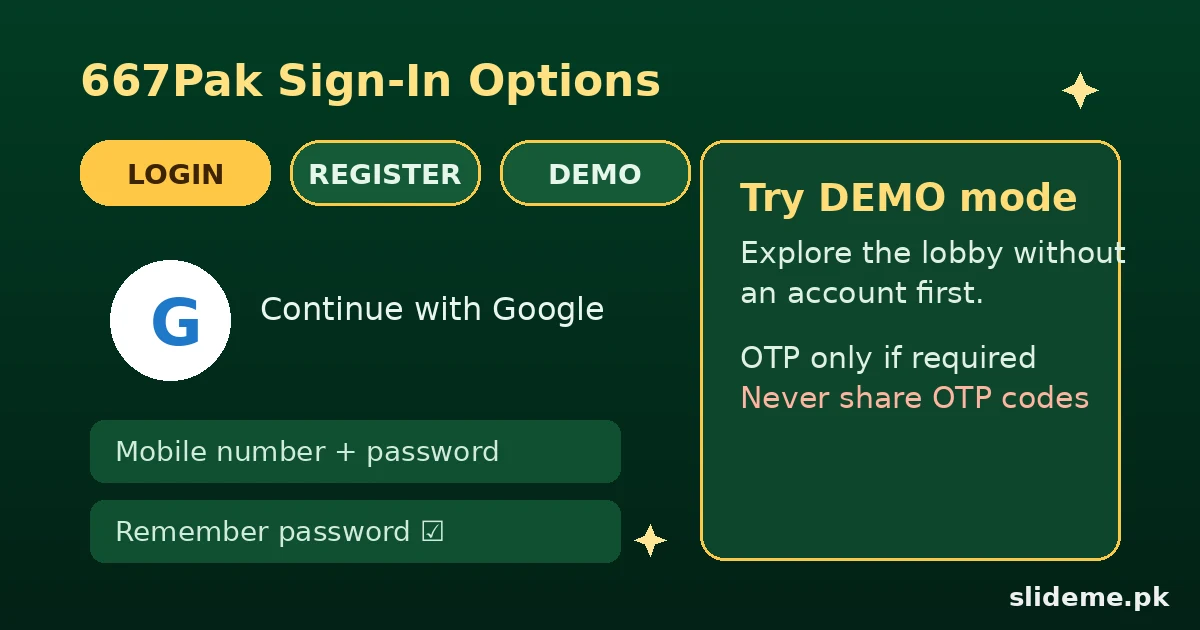
The 667Pak welcome screen carries a Login tab with real options. The main method is your registered mobile number plus your password — email or profile ID also work as alternates. There is a “Remember password” checkbox for your own device, and a Forgot Password link under the button.
The second method is Google sign-in, offered on both the login and register screens. If you would rather not type a password every time, this is the fastest route in. The third is the Demo button, which lets you explore the app without any account. I tried Demo first, and it is genuinely useful — you can see the lobby layout before committing your number.
My 667Pak Login (Step by Step)
I used the mobile-number method for my main test. It went like this.
- Open the 667Pak app and wait for the welcome screen to load fully.
- Tap the Login tab. Decide now: mobile number, Google, or Demo.
- For mobile login, type your registered number and password. I ticked “Remember password” since it was my own phone.
- Tap Login. On my first attempt the app asked for an OTP; on later logins it did not. The trigger condition is unverified, so be ready for either.
- If an OTP screen appears, enter the code and you are in. Keep your registered SIM active either way.
- Check the green balance card in the lobby — your PKR balance and user ID should show correctly.
New to 667Pak? Registration Recap
Tap Register and enter your active mobile number. Create and confirm your password, and enter an invitation or referral code if you have one — the Rs 600 referral promotion is the headline offer here. Confirm you are 18+, accept the User Agreement, and tap Register.
The success screen shows the 25% first-deposit bonus plus the referral promotion. After registering, open the in-app security center: it offers a withdrawal password, security questions, mobile verification, and even Google Authenticator. Setting the withdrawal password early is smart — it protects your cash-outs later.
Try It Without an Account: Demo Mode
The Demo button deserves its own section because few rivals offer it. Tap Demo on the login or register screen and you land in a read-only tour of the app. You can browse the game lobby, see how the PKR balance card looks, and get a feel for the emerald-green interface.
Demo mode will not let you play for real cash or claim bonuses — for that you need a real account. But as a way to check whether you like the app before handing over your mobile number, it is the most honest preview in this genre I have tested.
Login Errors I Ran Into (And Fixes)
The most documented 667Pak complaint is login failing on weak networks — even with the right credentials. I hit this myself on a shaky connection. Move to stable Wi-Fi or strong mobile data before assuming anything is wrong with your account. The app also freezes or loads slowly on budget phones and poor connections, which can look like a login failure when it is really a loading problem.
Other real issues: OTP codes not arriving (check signal, confirm the number matches your registered one, wait for network delays, request a new code if the app allows it) and wrong-password lockouts from repeated failed attempts. Do not keep guessing — use the Forgot Password link instead of locking yourself out further.
One more caution: similarly named fake apps, like JK667, cause real confusion. If your login fails on a fresh install, double-check you have the genuine 667Pak build. A wrong app will never accept your real credentials.
Password & OTP Recovery
If you forget your password, tap the Forgot Password link on the login page and follow the on-screen steps. No source confirms whether the reset arrives by SMS or another channel, so I will not invent the details — the screen itself walks you through it. Keep your registered number active, because recovery is tied to it.
On OTP safety: never give an OTP code to anyone claiming to be support. Review sites flag this as a known scam pattern around these apps, and 667Pak’s own materials warn about “unlock fee” scams on Telegram and WhatsApp. Real support never asks for your code.
What the Login Unlocks
Inside, 667Pak runs an emerald-green lobby with Aviator-style crash games, slots, and fishing titles. Money moves through JazzCash, EasyPaisa (including a Fast option), crypto, and bank transfer, with the interface in Urdu and English. The minimum deposit and withdrawal sit around Rs 100 and Rs 200 — treat these as estimates, since no source publishes official figures; the app shows the live limits.
For a straight mobile-plus-password walkthrough without the extra options, our MargoBet login guide covers the simpler pattern, and the 3S Game login guide walks through OTP-at-registration in detail. Platform comparisons: WinPKR runs a similar card-and-slots lobby, and PKAVIA is the other aviator-style option. The full 667Pak breakdown is on our 667Pak flagship page.
667Pak Login FAQs
Can I log in to 667Pak with Google instead of my mobile number?
Yes. Google sign-in sits on both the login and register screens. It is the fastest option if you prefer not to manage another password.
I forgot my 667Pak password. How do I reset it?
Tap the Forgot Password link on the login page and follow the on-screen steps. Keep your registered number active, since recovery is tied to it.
My 667Pak login fails even with the correct password. What should I check?
First your network — weak connections are the best-documented cause. Then the number format, then whether your app is the latest version. Use official recovery instead of repeated guessing.
Do I need an account to try 667Pak?
No. The Demo button lets you explore the lobby without registering. You need a real account only for real-money play and bonuses.
Is 667Pak on the Play Store?
667Pak is APK-only and not on the Play Store, so download it from the official website or a trusted source. That is the only availability note you need — everything else in this guide works the same.
Final Thought
667Pak gives you the most login choices I have seen in this genre: mobile number, Google, or Demo mode. I recommend Demo first, Google for convenience, and mobile number if you want the classic setup. Whatever you pick, keep your registered number active and never share OTP codes. For bonuses, payments, and the full game list, see our 667Pak flagship guide.