
Logging in to 444HQ Game takes less than a minute once your account is set up. You open the app, tap Login, type your account name or mobile number and your password, and you land on the dashboard. This guide walks through every step, plus the fixes for the two problems players hit most: a late SMS code and a login that fails with the right password.
444HQ Game launched in Pakistan in November 2026. It runs slots, cards, chess, fishing games, and live lobbies in one app. You register with your mobile number and confirm it with an SMS code. The same account works in the app and on the official web portal at 444hq.com. Keep your login details safe, because your balance and your rewards sit behind this one sign-in.
What the 444HQ Login Is For
Your login opens your personal account. It shows your balance at the top of the screen. It unlocks the gold Deposit button, your bonus and check-in rewards, and every game in the lobby. Without it, you can only look at the welcome screen. The app never asks you to log in again and again on the same phone. It keeps you signed in until you log out by hand or clear the app data.
One account covers the whole lobby. The dashboard tabs are Popular, Slots, Fishing, Recent, and Favorites. Your balance, your rewards, and your game history all follow the same login. That is why the login details matter more than anything else in the app.
How to Log In to 444HQ Game
Follow these steps. They take seconds.
- Open the 444HQ Game app on your Android phone.
- Tap Login on the welcome screen.
- Type your account name or your registered mobile number. Use the same one you chose at registration.
- Type your password. Passwords are case-sensitive, so check your capital letters.
- Tap the login button. The dashboard opens in seconds.
If you registered with “Set as account”, log in with that account name, not your phone number. If you registered with “Set as phone”, log in with your mobile number. Mixing the two up is the most common reason a correct password seems to fail.
New Here? Register in Two Minutes First
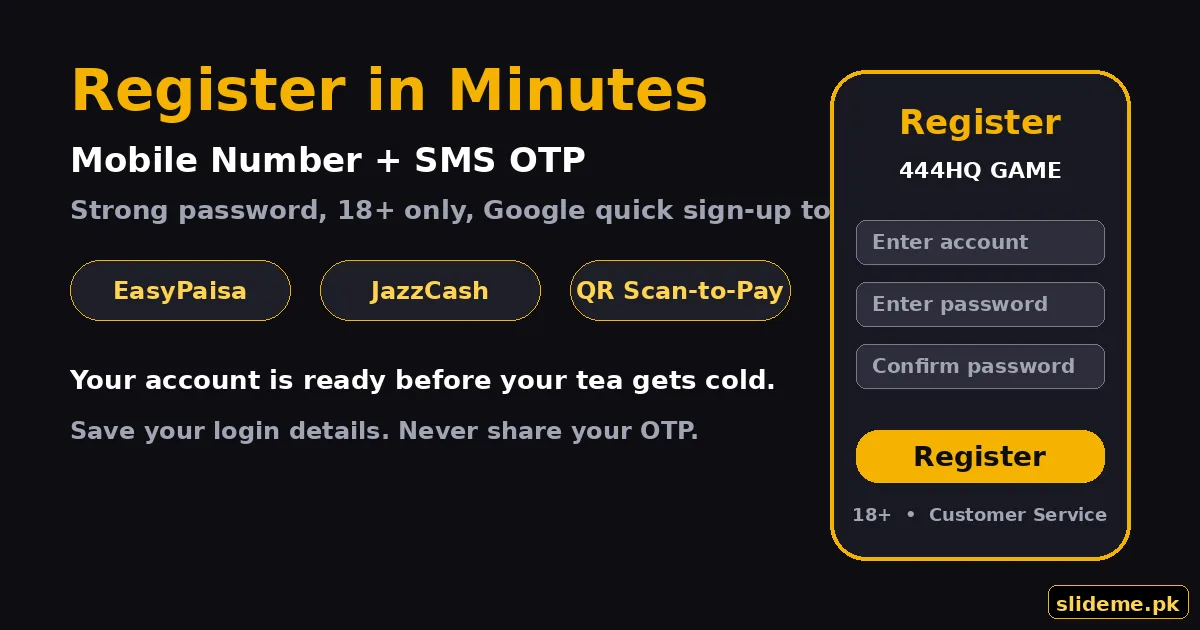
You cannot log in before you register. Registration is quick. Open the app and tap Register on the welcome screen. Enter your account name or your active Pakistani mobile number, and choose “Set as account” or “Set as phone”. Create a strong password. The app shows a strength meter as you type. Type the same password again in the Confirm password box. Tick the box that says you are over 18 and agree to the User Agreement. Then tap the gold Register button and enter the one-time code sent to your phone by SMS. Your account is active right away. Google quick sign-up is also shown on the register screen if you prefer it.
Save your login details somewhere safe. Never share your SMS code with anyone. The 444HQ team will never ask for it. If someone asks for your code in a chat group, it is a scam.
Forgot Your Password?
Tap the forgot-password or Customer Service link on the login screen. You will need access to the mobile number you registered with. The team will guide you through a reset. Do not share your password with anyone who claims to be support in a chat group. Real support works inside the app.
SMS Code Not Arriving
This is the most reported problem on new apps, and it usually fixes itself. Wait one full minute first. Check that your SIM has signal. Check that the number you typed is correct. Tap resend once. Do not tap resend again and again, because repeated requests can delay the code further. If the code still does not come, restart your phone and try once more. A weak signal is the usual cause on slow mobile data.
Login Fails With the Right Password
Start with the simple checks. Make sure caps lock is off, because passwords are case-sensitive. Make sure you use the same account name or number you registered with. If you picked “Set as account” at sign-up, your phone number will not work as the login name. Clear the app cache from your phone settings and try again. If the problem stays, use the forgot-password link to set a fresh password. Never pay anyone who offers to “unlock” your account. That is always a scam.
Keep Your 444HQ Account Safe
Do not log in on a shared phone. Log out when you finish on someone else’s device. Use a password you do not use anywhere else. Keep the app updated so security fixes reach your phone. If you see a login you did not make, change your password at once and contact Customer Service inside the app.
What You See After You Log In
The dashboard is clean and simple. Your balance sits at the top. The gold Deposit button is always close by. Bonus and check-in rewards live in the account section, so open the app each day to collect them. The lobby carries Aviator, Fortune Rabbit, SUPER ACE, and Fortune Tiger, plus the full Fortune family. Deposits and withdrawals run through EasyPaisa and JazzCash with scan-to-pay QR codes. The payment screen offers Urdu and English with one-tap switching. Players who like this style of lobby can also read our TD999 game login guide, which covers another new launch with the same mobile-plus-OTP sign-up flow. For a second new launch, see the 999YO game login guide. The full game page is 444HQ Game, and similar new launches include MK999 Game and 999AP Game.
444HQ Game Login FAQs
How do I log in to 444HQ Game?
Open the app, tap Login, enter your account name or mobile number and your password, then tap the login button. You reach the dashboard in seconds.
What if I forget my 444HQ password?
Use the forgot-password or Customer Service link on the login screen. You need access to your registered mobile number to reset it.
Why is my SMS code late?
Wait one full minute, check your signal and the number you typed, then tap resend once. Restart your phone if the code still does not arrive.
Can I use the same account on the website?
Yes. The same account works in the app and on the official web portal at 444hq.com, with the same lobby and the same balance.
What is the minimum deposit on 444HQ Game?
No official minimum has been published yet. Our estimate is Rs 100. Check the in-app cashier for the live figure before you pay.
Is 444HQ Game on the Play Store?
No. 444HQ Game is not on the Play Store. It is an APK-only app, so you download it from the official website at 444hq.com only.
Back in the Lobby in Seconds
The 444HQ login is simple by design: one name or number, one password, and you are in. Most problems come from a small mix-up at registration, like the account-name choice, or from a slow SMS code. Fix those two things and the login works every time. Keep your details private, log in each day to collect your check-in reward, and enjoy the lobby.